
UI Microstudy
One crisp interface component morphs into the next while a cursor clicks, drags and hovers, and the colour field changes every beat.
A code-made UI motion study for product tours, feature reels and design-engineering showcases. A single white or near-black pill or card sits dead centre on a flat saturated colour with a few faint circles and bands. A cursor performs a real interaction, the card springs into its next shape, and a circular wipe swaps the background colour on every beat. The preview morphs through ten components, from a button and music player to a stat card, command palette and toast stack.
Good for product tours, feature reels, component library showcases and design-engineering demos. Keep exactly one card centered, let a cursor drive a real interaction on every beat, then morph the same card into the next component while a circular wipe changes the background color.
With FrameJam installed, paste this into your agent and say what your video is about:
Use the look of the FrameJam style "ui-microstudy" for my video, then open it for review. My video: Palette
Type
- Display
- Inter 600, 700, 800All UI text. Headline numbers 108px/800 with -0.045em tracking, labels 24–32px/600, captions 18–22px/500; tabular numerals
- Body
- Inter 500, 600Secondary labels and sublines in muted grey (#8d8d9a on dark, #6b6b76 on white)
- Mono
- JetBrains Mono 500Tiny technical captions (shortcut hints, the wordmark subline) at 20–22px
Motion
- Morph
- back.out(1.5)
- Pop
- back.out(3)
- Drag
- power2.inOut
- Cursor
- power3.out
- Tick
- power3.out
- Wipe
- power3.out
- Average shot
- 0.75s
Ten morphs in 8s: about 0.65–0.9s per component, 1.15s for the stat card. Each beat is one cursor action (hover, press, drag) then a morph. Close with a small dark confirmation pill that reads 'every frame is code', then a wordmark card on the opening colour.
Transitions and text
- card morph: width, height and border-radius spring to the next component's size with back.out(1.5) in ~0.6s
- circular wipe from the frame centre (clip-path circle 0 to 1180px, 0.7s) reveals the next background colour
- old content fades and shrinks to 0.94 in 0.14s, new content fades up 0.16s into the morph
- number tick to the new value over 0.9s with power3.out
- typed query: letters appear on 0.06s beats with a moving orange caret
- emoji, stars and chart dots pop in with scale 0 to 1, back.out(2.6–3)
- wordmark letters rise 60px with back.out(2) and 0.03s stagger
The look your agent follows
- Look only: build the user's own subject in this visual language; don't reuse the example's scene.
- Put exactly one element on screen, centred on a flat saturated field (#ff5c93, #7c4dff, #0fb5a6, #2f5bff, #ff7a1a, #1fc76a, #ffc82e, #ff4a2b). Add 3 faint shapes (a 10% white disc, a 24% white ring, a 5% black diagonal band); never gradients or glows.
- Cards are white (#ffffff) or ink (#17171d), 88–104px tall pills (radius = height/2) or 300–420px cards (radius 34–44), with a two-layer soft shadow (0 34px 70px -14px rgba(20,10,40,.36) + 0 10px 22px rgba(20,10,40,.16)). Keep them 340–760px wide on a 1920 frame.
- Use one persistent card element and tween width/height/border-radius with back.out(1.5) over ~0.6s into the next shape; old content fades and shrinks to 0.94 in 0.14s, new content fades up 0.16s into the morph. Change the background colour on every morph with a centre-out circular clip-path wipe (power3.out, 0.7s), never reusing a neighbouring colour.
- A black arrow cursor with a white outline drives every beat: arrive with power3.out, scale to 0.8 and spring back (back.out(3)) on press, drag with power2.inOut while the thing it drags uses the same tween so they never drift apart.
- Animate the content, not just the shell: tick numbers (power3.out), draw lines with pathLength dashoffset, type text on 0.06s beats with a moving orange caret, pop small icons at scale 0 to 1 with back.out(2.6–3). Draw icons as inline SVG, never system emoji.
- Typography is Inter only: 600–800 weights, tight tracking (-0.01em body, -0.045em on big 108px numbers), tabular numerals, muted #8d8d9a / #6b6b76 sublines, JetBrains Mono 20–22px for tiny technical captions. Copy is specific and short.
- Rhythm: about 0.65–1.2s per beat, each beat one cursor action (hover, press, drag) then a morph. Avoid centred titles, drop-in text blocks, or anything holding longer than 1.3s without a cursor action.
- Optional motif: end on a small dark confirmation pill carrying the tagline, then a wordmark card on the opening colour with letters rising 60px (back.out(2), 0.03s stagger).
The example
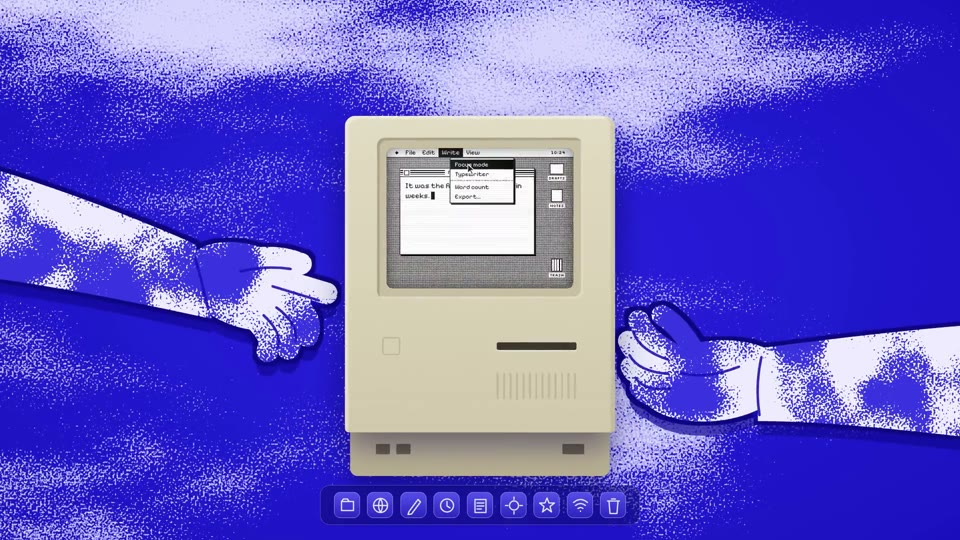
The preview morphs one card through ten interface components (a button, music player, volume bar, stat card with a ticking number, command palette, star rating, toast stack) while a cursor clicks and drags, ending on a 'frame' wordmark. Your agent uses the look for your own subject, not this scene.
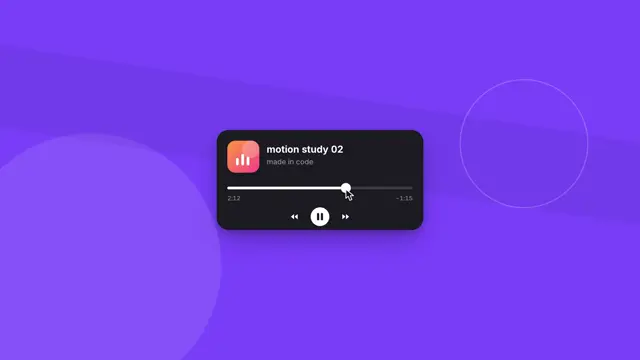
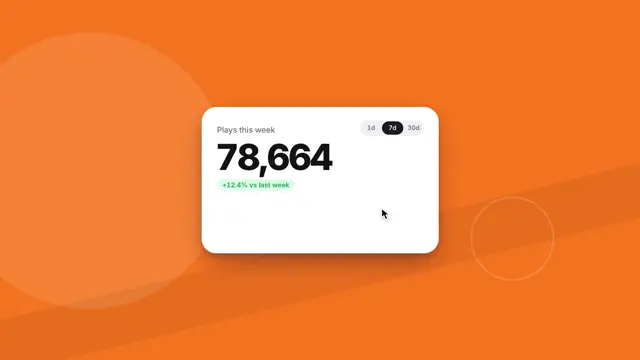


To make a video like this example, paste this into your agent:
Use the look of the FrameJam style "ui-microstudy" for my video, then open it for review. My video: an 8-second motion study that morphs one card through interface components like a button, music player, stat card, command palette and toast stack while a cursor clicks and drags, ending on a wordmark.For your own video, use the prompt under Use this style and say what it's about. The custom styles docs show how to change the look or make your own. To pair UI Microstudy with a playbook, a length and an aspect ratio, use the AI video prompt generator, or compare it with the other looks in the Remotion templates gallery.
Playbooks to use UI Microstudy with
A style sets the look; a playbook sets what you're making and how. Good matches: edit a YouTube intro hook with AI, make a narrated explainer video with AI or make a founder launch video for X with AI.
 Free to run
 Free to run
 Free to run
Similar styles
 16:9 · Medium
 16:9 · Fast
 16:9 · Medium
 16:9 · Medium