
Bauhaus Grid
Red, blue and black modules that pop, rotate in waves and swap colour on a cream page.
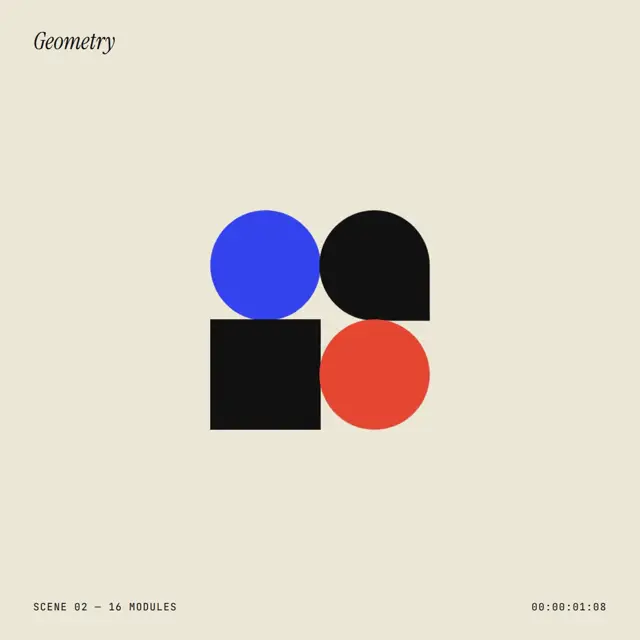
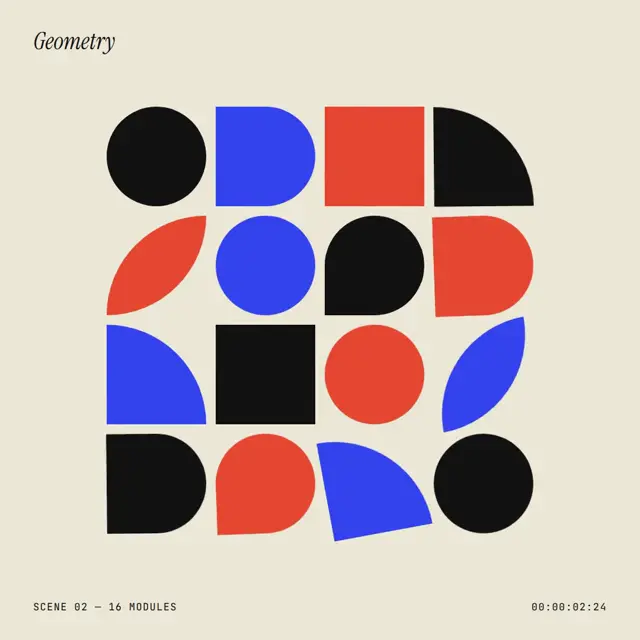
Square design-poster style for events, studios and brand reels. A 4×4 grid of geometric modules (circles, arches, quarters, leaves) pops in from the centre, rotates in staggered waves, swaps colours, then a blue wipe reveals a bouncing lowercase wordmark. Small italic-serif and mono HUD labels frame every scene.
Good for square event posters, open-studio and exhibition announcements, and design-studio social posts. Stay on cream, red, blue and black with flat fills, build everything from geometric modules on a 4x4 grid, and change something about every 0.8 seconds so each move reads as a wave.
With FrameJam installed, paste this into your agent and say what your video is about:
Use the look of the FrameJam style "bauhaus-grid" for my video, then open it for review. My video: Palette
Type
- Display
- Outfit 800Lowercase wordmark 210px, tracking -0.04em
- Label
- Instrument Serif 400Italic scene label top-left, 40px
- Body
- JetBrains Mono 500Uppercase HUD meta and timecode, 17px, tracking 0.08em
Motion
- Pop
- back.out(1.8)
- Rotate
- power3.inOut
- Wipe
- expo.inOut
- Drop
- bounce.out
- Average shot
- 2.3s
Every ~0.8s the grid does one thing: pop, rotate wave, colour swap, rotate back, breathe. Waves use grid staggers from centre, start or end.
Transitions and text
- circle ring scales past the frame to clear it
- full-frame blue wipe from the bottom (scaleY 0→1)
- per-letter rise with alternating ±14° rotation, back.out
- a red dot drops onto the wordmark with bounce.out
- letters wobble once in alternating directions
- timecode counts frames in the corner
The look your agent follows
- Look only: build the user's own subject in this visual language; don't reuse the example's scene.
- Only cream #ece6d6, red #f2542d, blue #2f4bf5 and black #121212 (cream text on blue). Flat fills; no gradients, shadows, outlines or textures.
- Build everything from geometric modules: ~168px squares shaped with border-radius only (circle 50%, arch, quarter-circle, leaf, drop). Lay them on a strict 4×4 grid with 16px gutters, or assemble the subject itself from the same modules.
- Move modules with GSAP grid staggers ({ grid: [4,4], from: "center" | "start" | "end" }) so every move reads as a wave: pop in with back.out(1.8), rotate in 90° steps with power3.inOut.
- Swap red and blue in one beat instead of fading. Something changes about every 0.8s: pop, rotate wave, colour swap, rotate back, breathe.
- Frame every scene like a poster: an Instrument Serif italic label (40px) top-left, JetBrains Mono 500 uppercase meta (17px, tracking 0.08em) and a running frame timecode along the bottom.
- Clear the frame with a ring that scales past the edges (power3.in) or a full-frame blue wipe from the bottom (scaleY 0→1, expo.inOut).
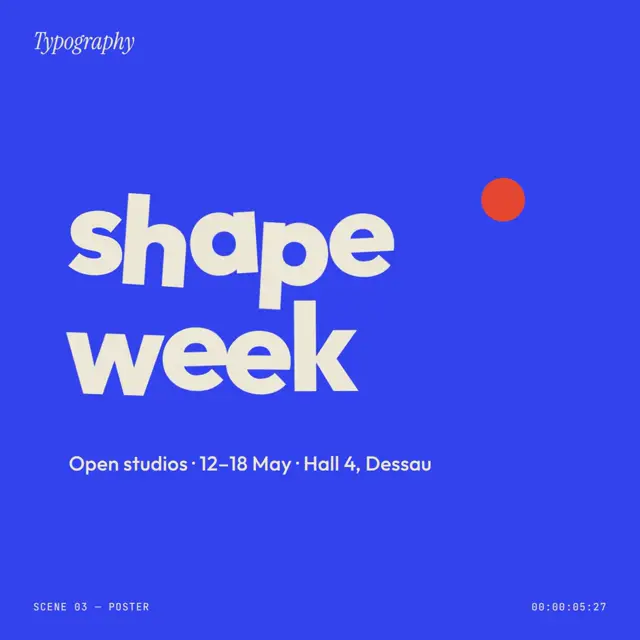
- Titles are Outfit 800 lowercase, ~210px, tracking -0.04em: letters rise one by one with alternating ±14° rotation (back.out), wobble once, and a single red dot drops in with bounce.out as the only accent. Pair them with one short factual line.
- Avoid photos, realistic illustration, extra colours and soft easing on colour changes.
The example
The preview shows a 4×4 grid of red, blue and black shapes popping, rotating in waves and swapping colours, then a blue wipe to a bouncing lowercase wordmark with open-studio dates. Your agent uses the look for your own subject, not this scene.
To make a video like this example, paste this into your agent:
Use the look of the FrameJam style "bauhaus-grid" for my video, then open it for review. My video: a 7-second square poster where a grid of red, blue and black shapes pops, rotates and swaps colors, then wipes to a lowercase wordmark with open-studio dates.For your own video, use the prompt under Use this style and say what it's about. The custom styles docs show how to change the look or make your own. To pair Bauhaus Grid with a playbook, a length and an aspect ratio, use the AI video prompt generator, or compare it with the other looks in the Remotion templates gallery.
Playbooks made for this style
Motion Design Showreel has an example made in this style. A style sets the look; a playbook sets what you're making and how. Good matches: make a motion design showreel with AI or make a founder launch video for X with AI.
Similar styles
 16:9 · Medium
 16:9 · Fast
 16:9 · Medium
 16:9 · Fast